
Any MikroTik on RouterOS 7. That is the one rule.
Everything else is about your situation: one shop or a whole hostel, the router's own WiFi or separate access points, an internet line in the same room or a Starlink 300 metres away. This page walks through it in plain words, with the hardware pictured, so you buy once and buy right.
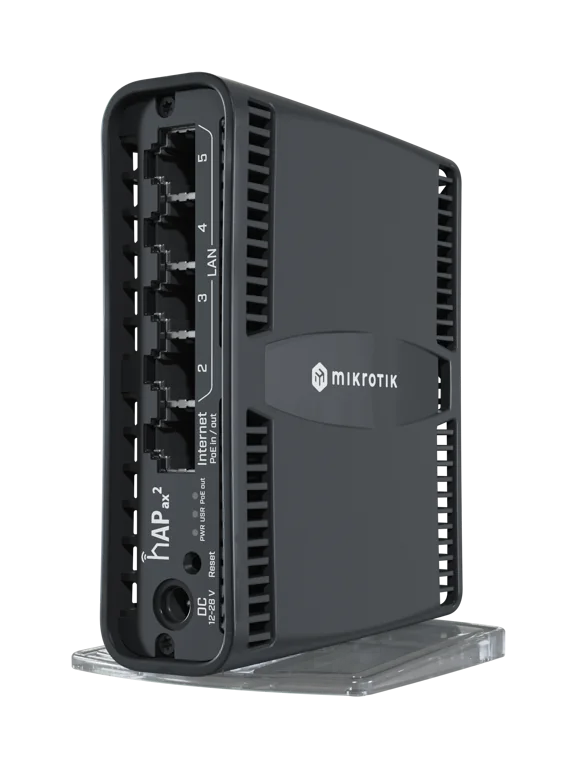
MikroTik, on RouterOS 7. Nothing else about the brand matters.
The router is the one piece of hardware Vivid Connect configures and talks to. It builds the hotspot, the customer login page and the private tunnel on it, and RADIUS decides who is online. That is only possible on RouterOS, so the router has to be a MikroTik. Everything downstream of it is up to you.
What works
Any MikroTik running RouterOS 7.1 or newer. hAP, hEX, RB-series, CCR: if it runs RouterOS 7 it can be onboarded. The onboarding is done from a phone with the Vivid Connect Android app in one tap, or from a Mac, Windows or Linux computer with the onboarding kit; see the onboarding chapter.
Older units still on RouterOS 6. Fine. Onboarding notices the version and updates the router first, provided the board can hold RouterOS 7 (see what to avoid below). WireGuard, the private tunnel Vivid Connect reaches your router through, arrived in RouterOS 7; that is the whole reason for the version.
Any decent access point behind it. A TP-Link EAP on the ceiling, a Ruijie omni on a pole, a D-Link on the desk, a MikroTik cAP: anything in bridge or AP mode, plugged into the MikroTik's hotspot port. The AP does not run anything of ours; only the router does.
What does not
- Consumer routers as the hotspot router.TP-Link, Tenda, D-Link, Huawei home units and the like. They cannot run RouterOS, so there is nothing for us to configure.
- Cloud-managed brands with their own ecosystems.They are built to be run from their own cloud, not to hand the hotspot to a RADIUS platform.
- "Hotspot routers" from consumer brands.Marketing, not a category. If it is not a MikroTik on RouterOS 7, it is an access point at best.
Any of these can still be the WiFi your customers actually connect to, as an access point behind the MikroTik.
Four setups cover almost everyone. Find yours.
Model names are current MikroTik lines sold in Ghana. Street prices for every one of them are in the chapters that follow; check with a dealer that sells RouterOS 7 stock before you buy.
One shop, one compound
You are selling from where the internet is: a shop, a house, a compound. The router's own WiFi is enough to begin, and you can add an access point later if the signal needs to reach further.
- hAP ax2WiFi 6, dual band, gigabit ports. Plenty for dozens of users. The default pick.
- hAP ax3Same family, stronger radios and more range. Worth it for a bigger compound.
- hAP ac2 or hAP ac3The previous generation. Still fine, and if it arrives on RouterOS 6, onboarding updates it. Check the price against the ax2 first; in August 2026 the ac2 was barely cheaper.
Wired core plus access points
Hostels, multi-building compounds, a market row: the router sits in a cupboard doing the routing, and separate access points give the WiFi where people actually sit.
- hEX S or hEX as the routerNo WiFi of their own, gigabit ports, and hEX S has PoE-out on one port to power a nearby access point. GH₵ 950 to 1,350 on jiji.
- TP-Link EAP225 or EAP610 on the ceiling indoorsPoE powered, in AP mode on the hotspot port. GH₵ 830 to 1,550 each; a D-Link DAP-1360 does a single room for less.
- A Ruijie RG-RAP6262(G) omni on a pole for the outsideOne unit covers a compound or a market row over a 150 to 250 metre radius. The access point chapter has the whole list with prices.
The internet is over there
A Starlink at your house serving a shop 300 metres away, or a fibre line in one building and the customers in another. There are two ways to bridge the gap, and they are not interchangeable.
- A dedicated link: two units, one in access point mode, one in station modeAt the internet side a NanoStation or NanoBeam set to Access Point mode with airMAX switched on (TP-Link's CPE line calls the same thing MAXtream), plugged into the hotspot port or a switch on it. At the far site its twin in Station mode, aimed straight back with clear line of sight. In this mode neither unit is WiFi for phones: a phone that finds the name and joins gets nothing, because what crosses the link is the network, not internet to browse. NanoStation GH₵ 1,300–1,800 per end for a few hundred metres; NanoBeam or LiteBeam GH₵ 1,700–1,950 per end for kilometres.
- At the far end, the station feeds a switch, a router or an access pointThe station's Ethernet port carries your hotspot network. Plug it into a switch and hang access points off that, or into one access point directly, and customers join the WiFi there as if they were beside the router. The MikroTik stays at the head end; the far site has no router of its own.
- The other way: mesh between omni access pointsA Ruijie RG-RAP6262(G) can pick up another Ruijie omni's signal and repeat it. No aiming, no station mode, and both units stay normal access points that phones use. The price is reach and speed: each mesh hop is shorter than a dedicated link and roughly halves the throughput, so it suits the compound next door, not the village up the road.
Homes and offices on a cable
You run a line to each customer's building and their own router dials in with a username and password, fibre-style. That is PPPoE, and it is built in: press Provision PPPoE on the router page, pick the port or bridge your customers are wired to, and sell PPPoE packages beside your hotspot ones.
- hEX S as the core for a street or a small estateWired only, which is the point: the customers bring their own routers. Its PoE-out can still power one access point for walk-in hotspot sales.
- RB5009 when the cable count growsSeven gigabit ports, one 2.5 gigabit, a 10 gigabit SFP+, a much faster CPU and 1 GB of RAM. The core of a multi-street network or a hotspot-plus-PPPoE site.
- Any router at the customer endThe customer's own TP-Link, Huawei ONT or MikroTik dials PPPoE with PAP or CHAP. Only your core has to be a MikroTik.
About the models named here. The router is the one fixed choice: a MikroTik on RouterOS 7. Everything else on this page, the access points, the link units, the pairings, is what we use ourselves and are confident does the job, not a shopping list. Plenty of other units and technologies will do the same work; if you already own something decent, or a dealer offers an alternative, it very likely fits.
Buy the router for your internet line, not for the crowd
The line you plug into port 1 decides how much work the router has to do. A Starlink dish settles at 50 to 150 Mbps in Ghana, and a cheap MikroTik moves that several times over. A fibre line at 300 to 500 Mbps with 150 phones each on their own speed limit is a different job, and that is where the bigger router earns its price.
Starlink, 4G, or fibre up to 150 Mbps
A shop, a compound, a hostel block. Up to 100 to 150 phones online at once, which is also about what one or two access points and a Starlink line will carry before the evening gets slow.
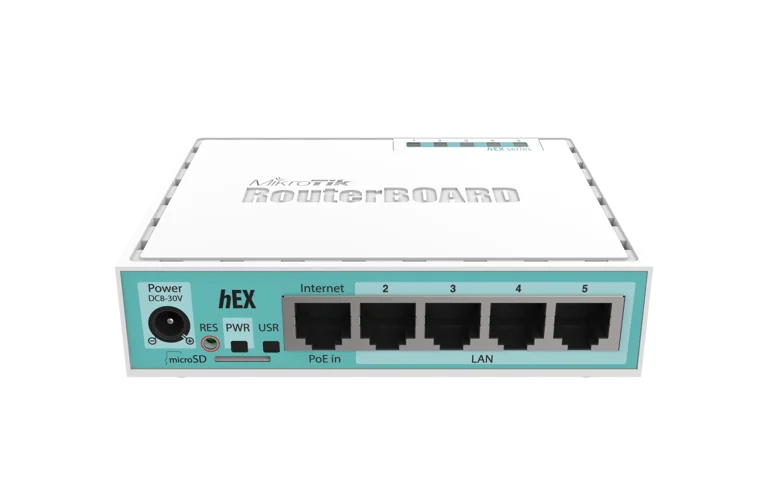 hEX (RB750Gr3)GH₵ 950–1,200The cheapest router that is fully up to the job. Five gigabit ports, no WiFi: pair it with the access point below.
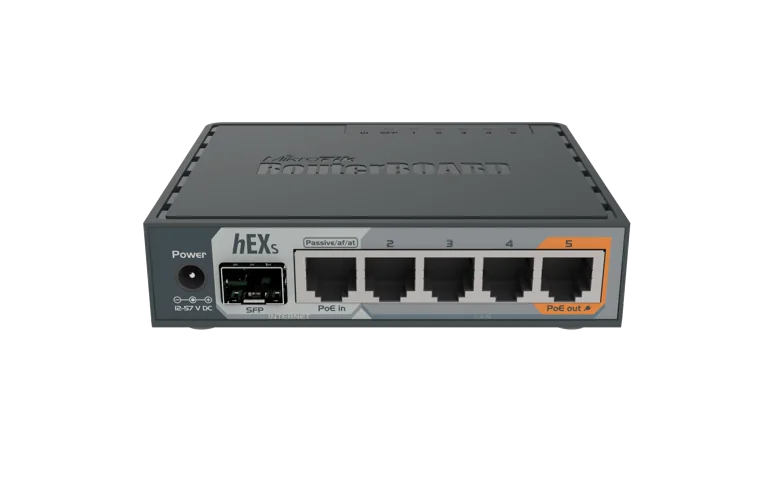 hEX S (RB760iGS)DefaultGH₵ 1,250–1,350The hEX plus an SFP port and PoE-out on port 5, so it powers your access point down one cable. The router this guide would buy.
- hAP ax2GH₵ 1,750–1,900Router and WiFi 6 access point in one box. Pick this instead of the two above when the customers sit within one building of the router.
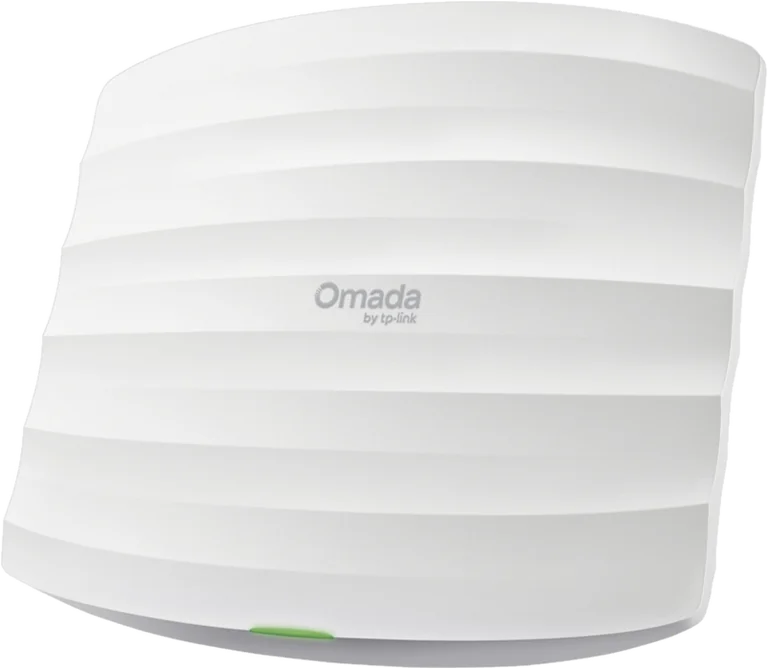 One access pointGH₵ 830–2,500A D-Link DAP-1360 for one room, a TP-Link EAP225 at GH₵ 830–1,200 for a hall or a floor, or a Ruijie RG-RAP6262(G) omni at GH₵ 2,200–2,500 for a whole compound. Any of them goes on the hotspot port. See the access point chapter.
Fibre at 300 to 500 Mbps, 150 or more phones, several buildings
A hostel with many blocks, a market, a small estate. Enough line to sell fast packages to a real crowd, with a WiFi 6 access point in every area and the router shaping every one of those sessions.
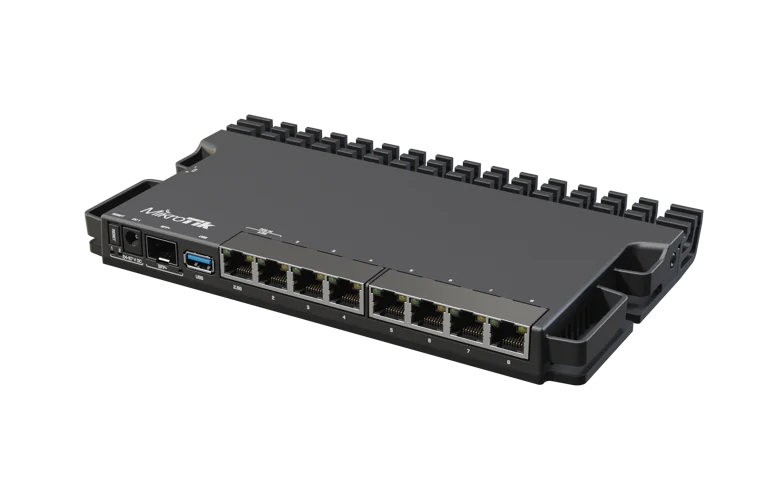 RB5009UG+S+INCoreGH₵ 3,300–3,600Quad-core 1.4 GHz, 1 GB RAM, seven gigabit ports, one 2.5 gigabit, a 10 gigabit SFP+. The headroom to shape 400 sessions through 500 Mbps.
- RB5009UPr+S+INGH₵ 4,500The same router with PoE-out on all eight ports, so it powers eight access points directly and you skip the PoE switch.
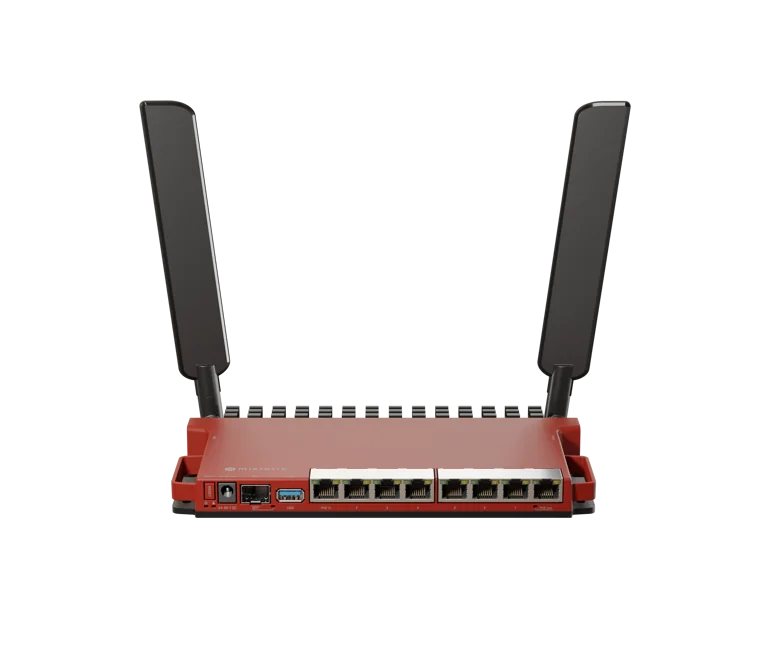 L009UiGS-RMMiddle rungGH₵ 1,800–2,050Eight gigabit ports and a 2.5 gigabit SFP for an ONT handoff. Dual-core 800 MHz, 512 MB. Sits between the hEX S and the RB5009; buy it for the ports.
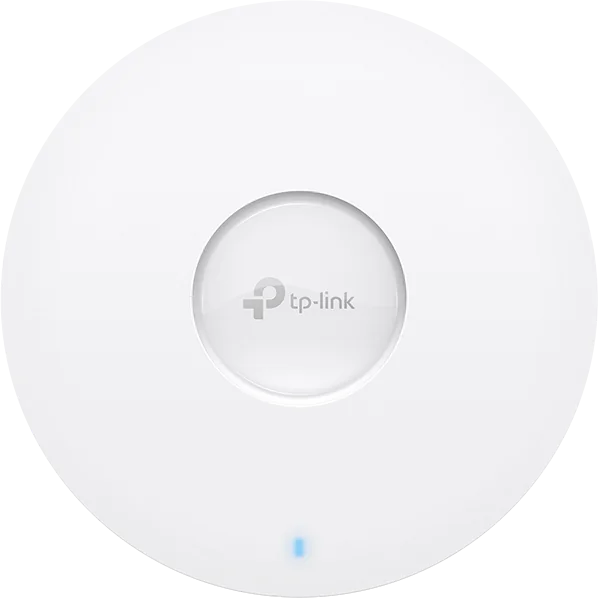 One WiFi 6 access point per areaGH₵ 1,000–2,500 eachTP-Link EAP610 at GH₵ 1,190–1,550 indoors, a Ruijie RG-RAP6262(G) omni at GH₵ 2,200–2,500 for each open area, UniFi U6+ at GH₵ 1,770–2,300 if you want the nicest app. Four to six of them for a compound.
Where the prices come from. Asking prices on jiji.com.gh on 28 August 2026, new bare units, the middle of the range with the one-off high and low listings left out. They move with the cedi and with the dealer, so treat them as a range to bargain within, not a quote.
These pairings are ours, not the only ones. We named the units we use and trust so the budgets are real numbers. Any router that runs RouterOS 7 and any decent access point can stand in for the ones shown.
Routers that sell on their own WiFi
For a kiosk, a shop, a bar, one floor of a house: a MikroTik with a radio inside is router and access point in one box, and Vivid Connect can put the hotspot on that radio during onboarding. Every one of these runs RouterOS 7. Bigger area later? Add an access point; nothing gets redone.
| Model | Radio | Ports | Street price | Good for | |
|---|---|---|---|---|---|
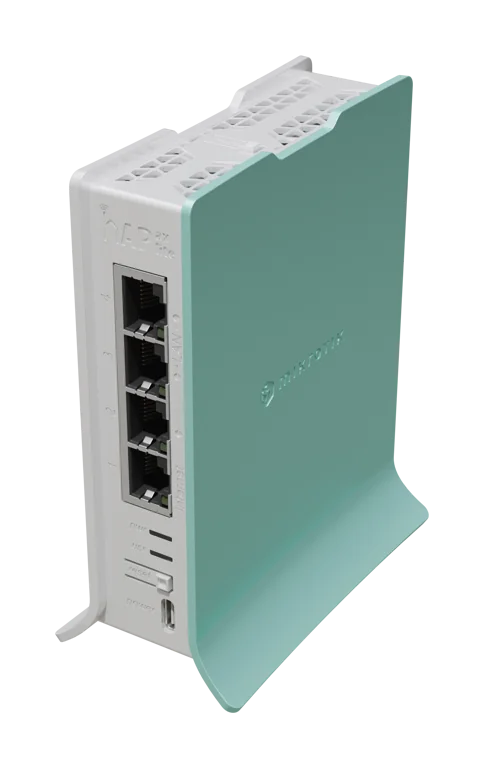 |
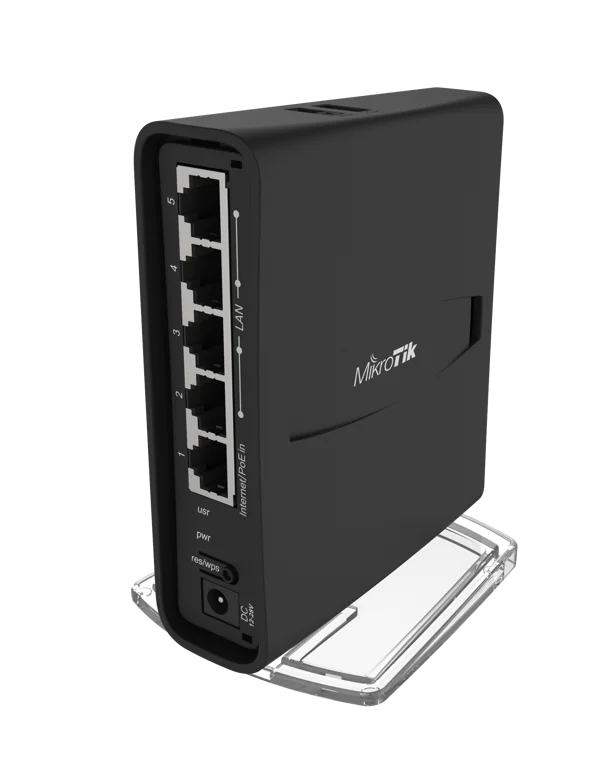
hAP ax litethe cheapest we would sell on | WiFi 6, 2.4 GHz only, 2x2 | 4 gigabit | GH₵ 1,000 | A kiosk, a small shop, one room. 2.4 GHz goes through walls well but is slower and busier; fine for 20 to 30 phones. |
 |
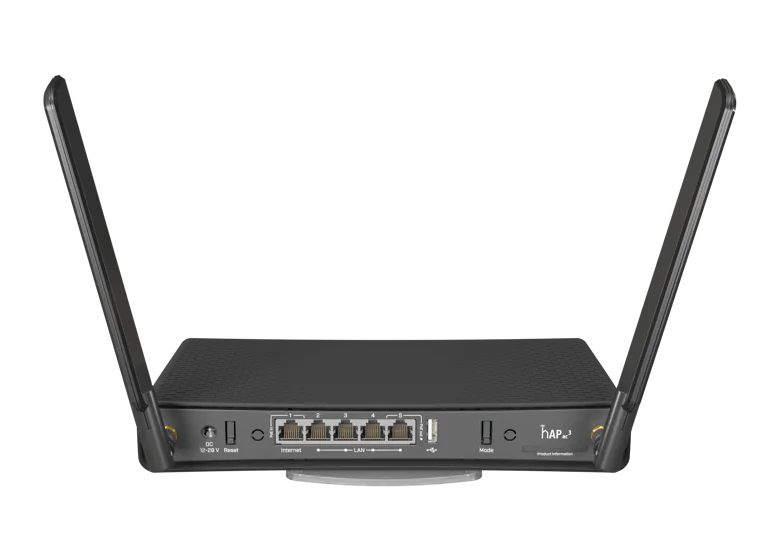
hAP ac2previous generation | WiFi 5, dual band | 5 gigabit, PoE-in | GH₵ 1,650 | A shop or a home. Often on RouterOS 6 in the box; onboarding updates it. The ax2 is newer for a little more. |
|
hAP ax2the default | WiFi 6, dual band, 2x2 | 5 gigabit, PoE-in | GH₵ 1,750–1,900 | A shop, a compound, a small hostel floor. Quad-core, 1 GB RAM: the most router for the money on this page. |
 |
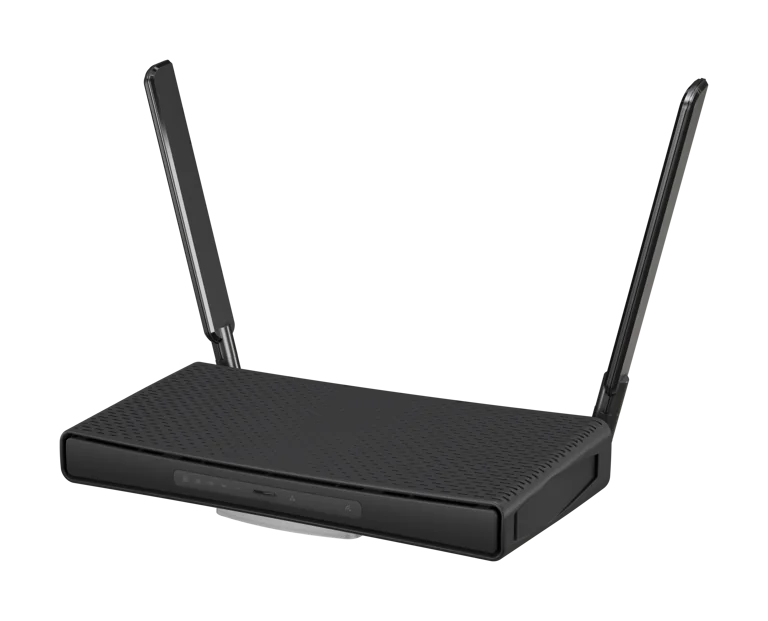
hAP ac3external antennas | WiFi 5, dual band, high-gain antennas | 5 gigabit, PoE-in, PoE-out on port 5 | GH₵ 2,150–2,300 | More reach than the ac2 from the antennas, and it can power one access point. The ax3 is the newer equivalent. |
 |
hAP ax3the strongest radio here | WiFi 6, dual band, high-power radios | 4 gigabit plus 1 x 2.5 gigabit, PoE-in, PoE-out on port 5 | GH₵ 2,300–2,950 | A bigger compound or a bar with a courtyard, from one box. Quad-core 1.8 GHz, 1 GB RAM. |
|
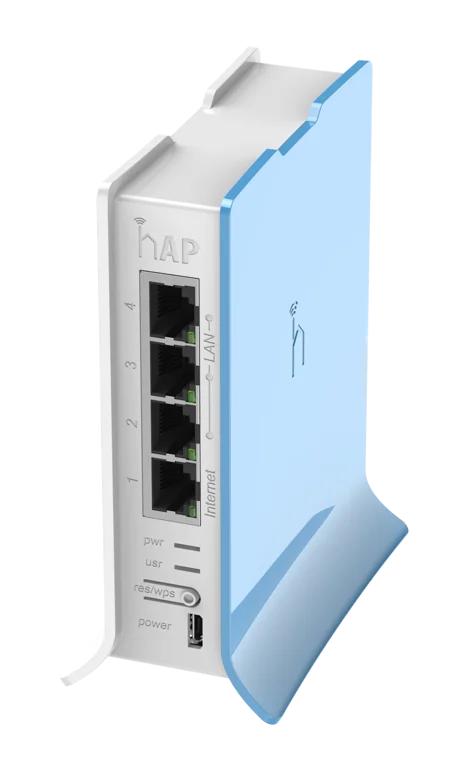
L009UiGS-2HaxD-INeight ports, one radio | WiFi 6, 2.4 GHz only, 2x2 | 8 gigabit plus a 2.5 gigabit SFP, PoE-in, PoE-out on port 8 | GH₵ 2,100–2,400 | Buy it when you need the ports. Its WiFi is 2.4 GHz only, so as a sell-on-its-own-radio box it is behind the ax2 at a higher price. |
 |
hAP lite (RB941)not for a business | WiFi 4, 2.4 GHz only | 4 x 100 megabit | GH₵ 500–550 | 32 MB of RAM and 100 megabit ports. It runs RouterOS 7 with almost nothing to spare. Cheap to buy and quick to replace; spend the extra GH₵ 500 on the ax lite. |
Swipe the table sideways to see every column.
Dual band means the router offers both 2.4 GHz (further, slower, busier) and 5 GHz (faster, shorter), and phones pick. A 2.4 GHz-only box is fine for one room; for a courtyard or a hall, dual band is worth the difference. Prices: jiji.com.gh, 28 August 2026.
Other MikroTik models with WiFi work just as well. This is the current line-up we see in Ghana, not the full catalogue; the rule stays "any MikroTik on RouterOS 7".
Access points: what Ghana actually buys, what it costs, how far it reaches
The access point is the WiFi your customers connect to, and it does not have to be a MikroTik. Anything in AP or bridge mode on the hotspot port works, because the login page and the accounting come from the router, not the radio. Locally the money goes to TP-Link and D-Link for budget coverage, Ruijie for throwing an open signal across a whole compound, and Ubiquiti for carrying the internet to another site. Spend on coverage here, not on the router.
One ceiling or desk access point covers a hall, or two to three rooms around it. Corridors and courtyards behind a second wall need their own.
That is what a Ruijie omnidirectional unit does in local experience, and why it sells. Phones at the far edge get a thin signal, so the paying crowd sits in the inner 100 metres or so.
An access point tops out around 100 associated phones, but the experience drops long before. Plan one access point per area and per 40 paying phones, whatever the range claim on the box.
| Access point | Radio | Phones at once | Street price | Notes | |
|---|---|---|---|---|---|
| Indoor and close range: TP-Link and D-Link are the budget go-to | |||||
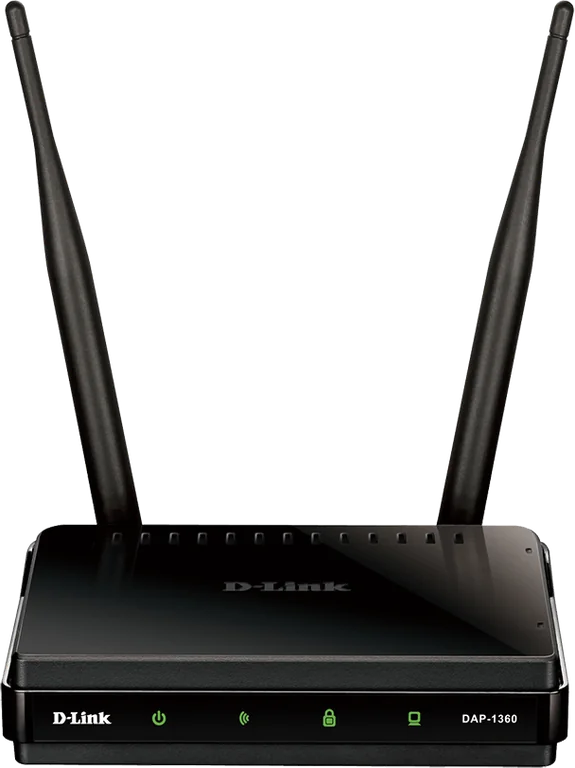 |
D-Link DAP-1360desk or wall, 2.4 GHz only | WiFi 4, 2.4 GHz, two antennas | 20 to 30 | ask the shopnot on jiji when we checked | The shop-counter classic for one room, a kiosk, a small shop: set it to AP mode and plug it into the hotspot port. Sold in shops rather than on jiji. D-Link's WiFi 6 ceiling unit, the DLA-X301, lists at GH₵ 1,100–1,450. |
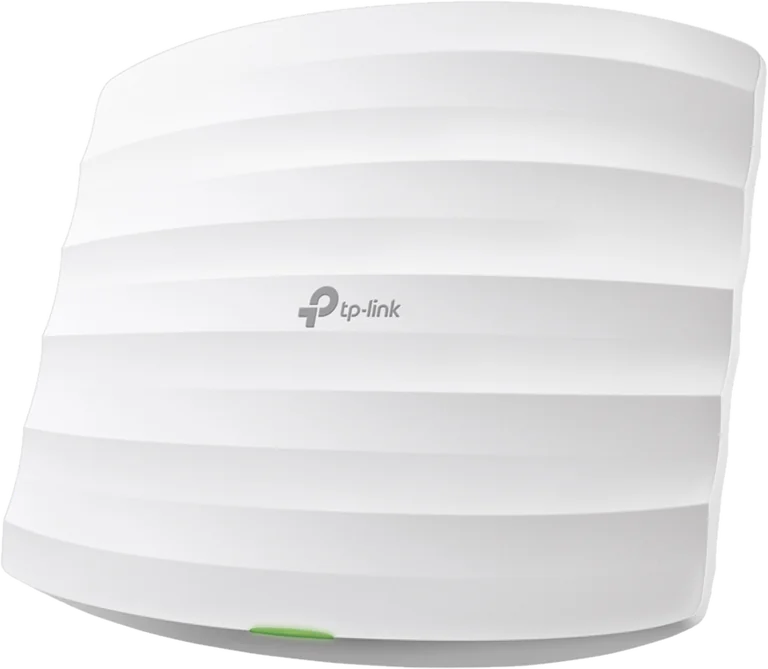 |
TP-Link EAP110ceiling, 2.4 GHz only | WiFi 4, 2.4 GHz, 100 megabit port | 20 to 30 | GH₵ 550–750 | The ceiling version of the same idea, PoE powered so it needs no socket. Runs standalone, no controller. |
|
TP-Link EAP225ceiling, the one most people buy | WiFi 5, dual band, gigabit | 40 to 60 | GH₵ 830–1,200 | The workhorse of Ghanaian hotspots: dual band, PoE, standalone or with the free Omada app. A hall, a bar, a hostel floor. |
 |
Tenda i27ceiling, WiFi 6 on a budget | WiFi 6, dual band, AX3000 | 60 to 100 | GH₵ 1,000–1,350 | The cheapest WiFi 6 ceiling unit around. Good radios for the money; plainer software than TP-Link's. |
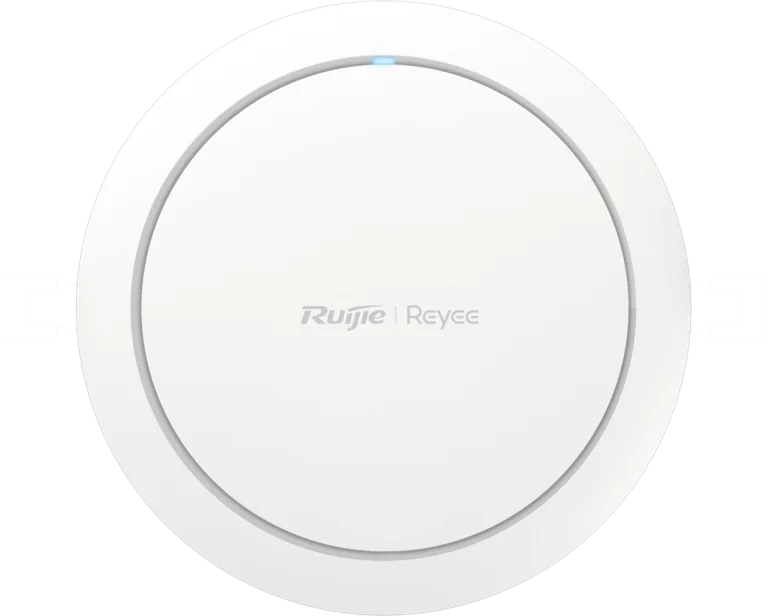 |
Ruijie Reyee RG-RAP2266ceiling, WiFi 6 | WiFi 6, dual band, AX3000 | 60 to 100 | GH₵ 980–1,350 | Ruijie's indoor unit, and the cheapest WiFi 6 ceiling AP with a serious brand behind it. Same free cloud app as the outdoor omni. |
|
TP-Link EAP610 / EAP650ceiling, WiFi 6 | WiFi 6, dual band, AX1800 / AX3000 | 60 to 100 | GH₵ 1,190–1,550 | The pick for a busy hall or a hostel floor on a fast line. The EAP650 has the faster 5 GHz radio for a small premium. |
 |
Ubiquiti UniFi U6+ / U6 Liteceiling, WiFi 6 | WiFi 6, dual band | 60 to 100 | GH₵ 1,770–2,600 | Excellent radios and the nicest app, at a dealer premium. Needs the UniFi app once to adopt it. The older AC Lite is GH₵ 1,950–2,200. |
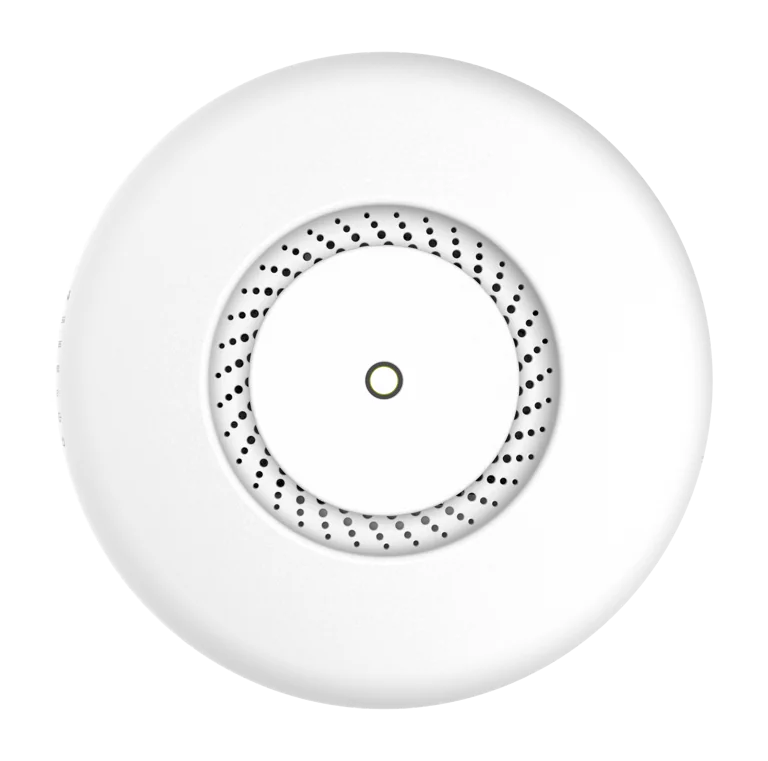 |
MikroTik cAP ac / cAP axceiling | WiFi 5 / WiFi 6, dual band | 40 to 100 | GH₵ 1,550–2,100 | Fine units, but uncommon here and dearer than the EAP225 for the same job. Only if you want one brand throughout. |
| Outdoor, long range: the Ruijie omni is what compounds run on | |||||
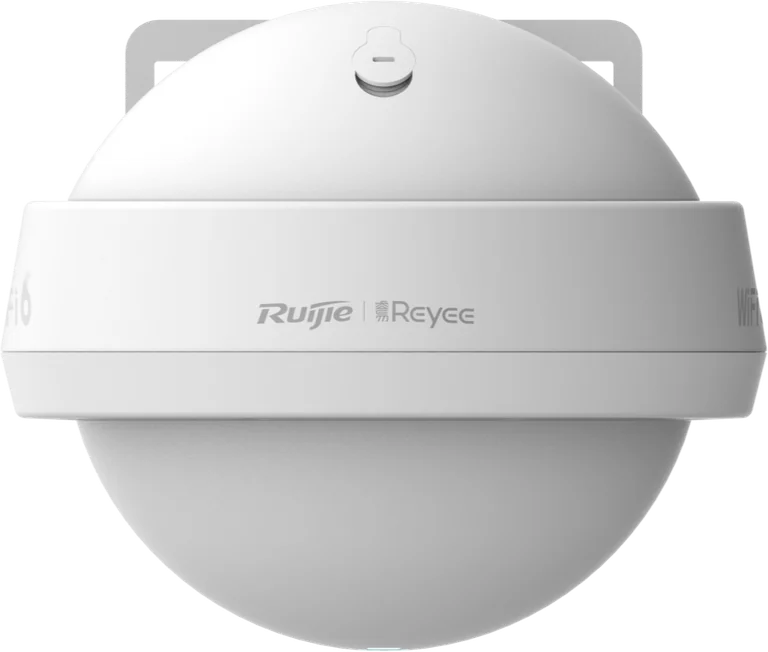 |
Ruijie Reyee RG-RAP6262(G)pole mount, omnidirectional, WiFi 6 | WiFi 6, dual band, AX1800, IP68 | 60 to 100 | GH₵ 2,200–2,500 | The local favourite for a compound, a market row or a street: one unit on a pole broadcasts in every direction over a 150 to 250 metre radius. PoE down one cable, gigabit port plus an SFP. |
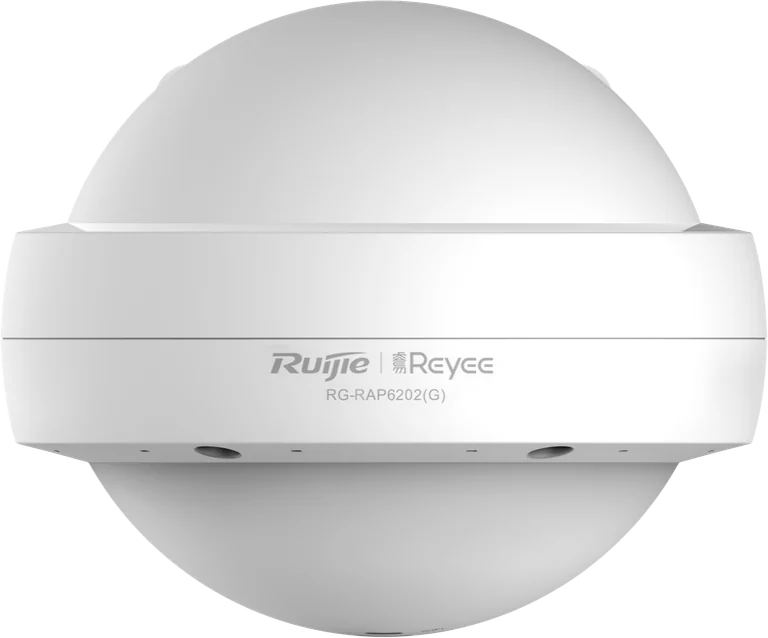 |
Ruijie Reyee RG-RAP6262 AX3000 / RG-RAP6260(H) AX6000pole mount, omnidirectional | WiFi 6, AX3000 / AX6000 | 80 to 150 | GH₵ 2,650–3,0006260(H) 4,750–5,200 | The same shape with a faster 5 GHz radio, and the (H) for a stadium-size crowd. Same reach as the (G); buy by the crowd you expect, not the range. |
 |
TP-Link EAP225-Outdoorwall or pole, weatherproof | WiFi 5, dual band | 40 to 60 | GH₵ 1,050–1,500 | For a courtyard or a frontage, 40 to 80 metres to a phone. Cheaper than the Ruijie because it covers a yard, not a neighbourhood. |
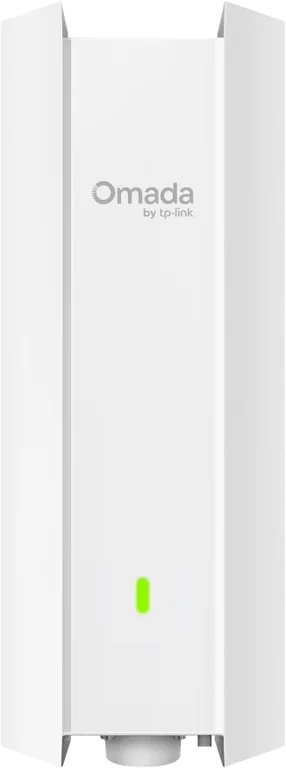 |
TP-Link EAP610-Outdoor / EAP650-Outdoorwall or pole, WiFi 6 | WiFi 6, dual band | 60 to 100 | GH₵ 1,550–2,500 | The WiFi 6 version of the courtyard unit, for a real evening crowd in one open area. |
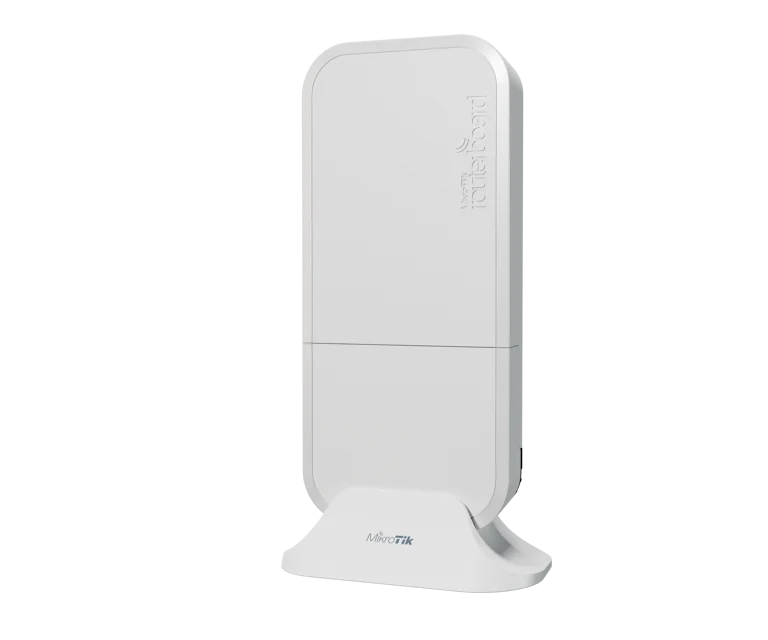 |
MikroTik wAP ac / wAP axweatherproof | WiFi 5 / WiFi 6, dual band | 40 to 100 | no Ghana listingsask a MikroTik dealer | MikroTik's outdoor units. Nobody was listing them locally when we checked, and a Ruijie reaches further for the money. |
| Carrying the internet to another site: a pair, one in AP mode and one in station mode | |||||
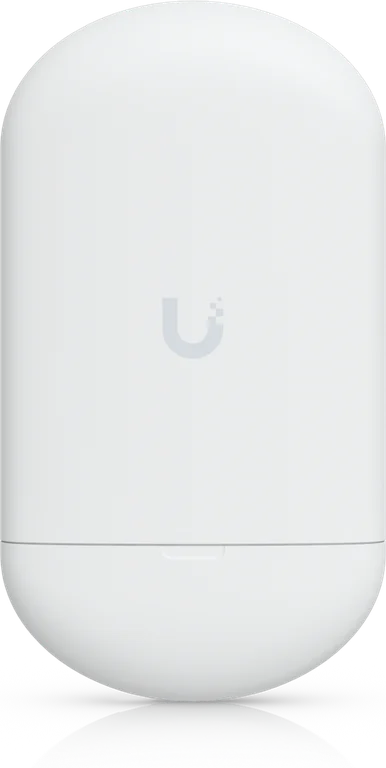 |
Ubiquiti NanoStation 5AC loco / NanoStation 5ACper end, for the shorter hops | 5 GHz, 13 dBi directional | a link, not phones | GH₵ 1,270–1,350loco 5AC; NanoStation M5 1,450–1,800 | The standard way to throw a Starlink or fibre line a few hundred metres to a shop or a second compound. One in Access Point mode with airMAX on at the internet side, the other in Station mode at the far site, aimed at each other with line of sight. Not WiFi for phones while linked. |
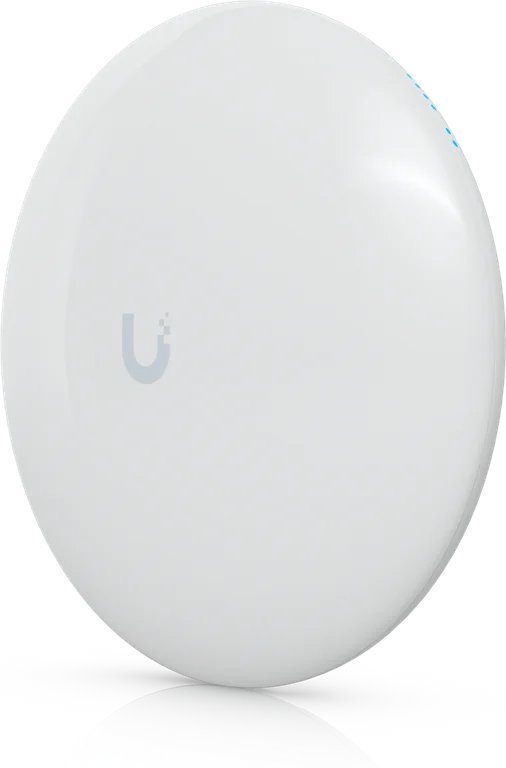 |
Ubiquiti NanoBeam 5AC Gen2 / LiteBeam 5AC Gen2per end, for the long hops | 5 GHz, 19 dBi / 23 dBi dish | a link, not phones | GH₵ 1,950LiteBeam 5AC Gen2 1,700–1,950 | When the far site is kilometres away rather than metres: the dish focuses the signal so it still lands. Same AP-plus-station pairing with airMAX on. The LiteBeam is the same idea with a bigger dish and far more local listings. Line of sight is not optional. |
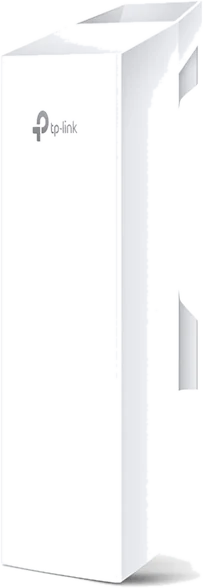 |
TP-Link CPE210 / CPE510per end, the budget link | 2.4 GHz / 5 GHz directional | a link, not phones | GH₵ 750–1,050 | Works for short hops on a tight budget; TP-Link calls its link mode MAXtream and it pairs the same way. Most installers here still reach for the NanoStation; the price gap is small. |
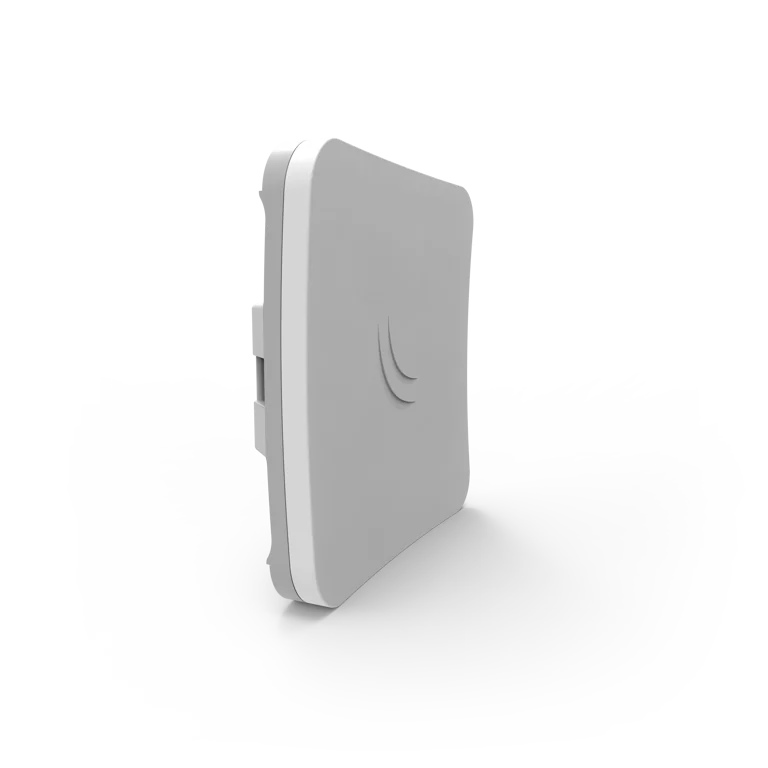 |
MikroTik SXTsq 5 ac / LHGper end | 5 GHz directional | a link, not phones | GH₵ 780–1,000 | The MikroTik equivalents. Uncommon locally; the LHG was not listed at all when we checked. |
Swipe the table sideways to see every column.
Phones-at-once figures are what the unit serves well, not what it can technically hold; reach figures are local field experience, not a lab number. Set every access point to AP or bridge mode, plug it into the router's hotspot port (through a PoE switch if there are several), and give them all the same WiFi name so phones roam. A link pair (NanoStation, NanoBeam) is not an access point: it carries the connection to the far site, where an access point or a hAP serves the phones. Prices: jiji.com.gh, 28 August 2026. Product photographs: the manufacturers.
These are the units we use and see most; they are not the only ones that work. Any access point in AP or bridge mode serves a hotspot, and any point-to-point pair (Ubiquiti airMAX, TP-Link MAXtream, MikroTik, Cambium, Mimosa and others) or mesh-capable access point carries a link. Pick by the reach, the crowd and the price you can get, not by the brand on this page.
The usual suspects, side by side
A compact comparison of the routers people ask about most, with what they sell for in Ghana. All of them run RouterOS 7 and all of them onboard the same way. The last row is an access point, not a router.
| Model | WiFi | Ports and PoE | Street price | Best for | |
|---|---|---|---|---|---|
|
hEXwired router, no WiFi | None. Pair it with an access point. | 5 gigabit EthernetPoE-in on port 1; dual-core 880 MHz, 256 MB | GH₵ 950–1,200 | The cheapest router that is fully up to a Starlink hotspot. Add the access point you like. |
|
hEX Swired router, no WiFi | None. Pair it with access points. | 5 gigabit Ethernet plus SFPPoE-in on port 1, PoE-out on port 5 | GH₵ 1,250–1,350seen 1,100 to 1,999 | The wired core of a shop, a hostel or a multi-building site, with cAP or EAP access points on the hotspot port. Our default. |
|
hAP ax2router with WiFi | WiFi 6, dual band (2.4 and 5 GHz) | 5 gigabit EthernetPoE-in on port 1; quad-core, 1 GB | GH₵ 1,750–1,900 | The default one-box router: a shop, a home, a small compound. Dozens of users on its own WiFi. |
|
hAP ax3router with WiFi | WiFi 6, dual band, stronger radios and higher-gain antennas | 4 gigabit plus 1 x 2.5 gigabit EthernetPoE-in on port 1, PoE-out on port 5 | GH₵ 2,300–2,950seen 2,000 to 3,050 | A larger compound or a busier spot where range matters and you want to power one access point from the router. |
|
hAP ac2router with WiFi, previous generation | WiFi 5, dual band | 5 gigabit EthernetPoE-in on port 1 | GH₵ 1,650 | The budget one-box start. Often on RouterOS 6 in the box; onboarding updates it. Same job as the ax2, older radios. |
|
L0098-port router; RM wired, IN with 2.4 GHz WiFi | None (RM) or WiFi 6 on 2.4 GHz only (IN) | 8 gigabit Ethernet plus a 2.5 gigabit SFPPoE-in on port 1, PoE-out on port 8; dual-core 800 MHz, 512 MB | GH₵ 1,800–2,400RM 1,800 to 2,050; IN 2,100 to 2,400 | A site that needs eight ports or an SFP handoff without going to the RB5009. Not a faster hotspot than the hEX S; see the RAM myth below. |
|
RB5009wired router, no WiFi | None. Pair it with access points. | 7 gigabit plus 1 x 2.5 gigabit Ethernet and a 10 gigabit SFP+PoE-in on port 1; quad-core 1.4 GHz, 1 GB. The UPr version adds PoE-out on all ports | GH₵ 3,300–3,600UPr with PoE-out 4,500 | The core of a big site: fast fibre, many access points, or wired PPPoE subscribers alongside a hotspot. |
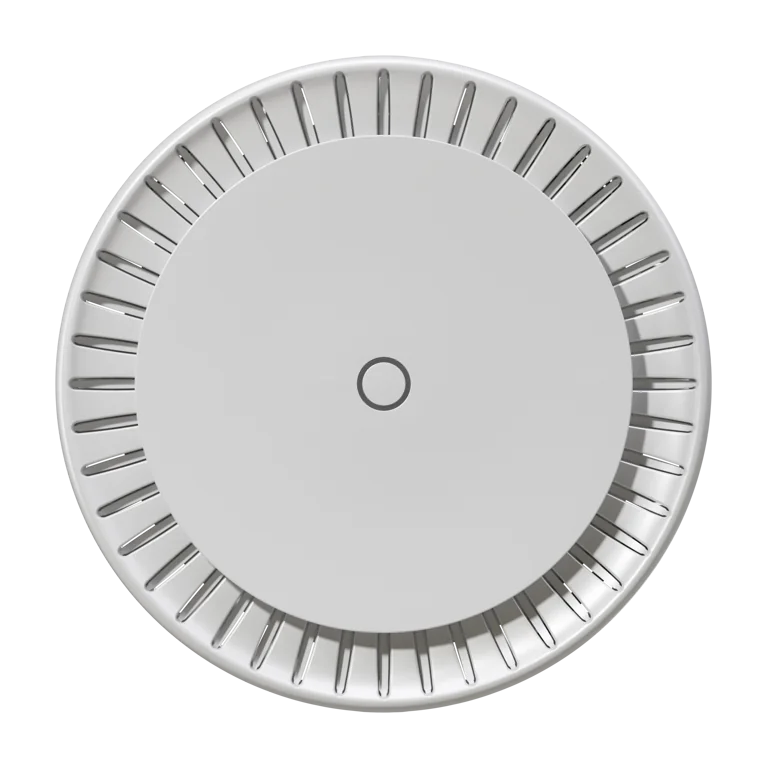 |
cAP axaccess point, not a router | WiFi 6, dual band, ceiling or wall mount | 2 gigabit EthernetPoE-in, so it needs no socket beside it | GH₵ 2,100cAP ac 1,550 to 1,650 | MikroTik's ceiling access point, behind a hEX or hAP. Uncommon here; most sites use a TP-Link EAP225 for the same job at less. See the access point chapter. |
Swipe the table sideways to see every column.
Port counts and PoE details are from MikroTik's own specifications at the time of writing; revisions happen, so glance at the box. Street prices are asking prices on jiji.com.gh, 28 August 2026, new bare units. Whatever you choose, only the router needs to be a MikroTik. Access points can be MikroTik or any decent unit in AP or bridge mode. Product photographs: MikroTik, TP-Link, Ubiquiti, Ruijie, D-Link and Tenda.
A comparison, not a catalogue. These are the models people ask us about; MikroTik makes many more that run RouterOS 7 and onboard the same way.
Anything with an Ethernet handoff plugs straight in
The MikroTik takes its internet on port 1 (ether1) by DHCP. Starlink, fibre, 4G, fixed wireless: if it ends in an Ethernet port, it works the same way. Starlink has two small wrinkles worth knowing before you order.
- Standard kit, Gen 2 dish: you need the Starlink Ethernet Adapter.The Gen 2 router has no Ethernet port of its own. The adapter clips into the cable between dish and router and gives you the port for the MikroTik. About GH₵ 500 on jiji (seen 350 to 700).
- Gen 3 kit: use the built-in Ethernet port.The Gen 3 router has Ethernet on it already. Cable from there to the MikroTik's port 1.
- Put the Starlink router in Bypass mode.Do it from the Starlink app. It hands the connection straight to the MikroTik. You can also leave the Starlink router as it is and simply plug the MikroTik's WAN into its LAN; that works, but bypass is cleaner and avoids double routing.
- The MikroTik gets its WAN by DHCP.Nothing to type. Onboarding expects exactly this: internet on port 1, port light on, then the token.
Vivid Connect can give the owner's own devices priority and cap what customers can take together, so a busy evening does not swallow the line you are also working on. It is a setting, not extra hardware. See Protect your line in the getting started guide.
The line is the limit, not the router
The most expensive mistake on this page is buying the router for its spec sheet. Here is the claim as it is made at the counter, and what the numbers actually say.
Take the L009. It has more RAM and a dual-core CPU, so it can handle more users than the hEX. The hEX will hang once you pass fifty people.
A hotspot session is a handful of firewall entries and a queue: a few kilobytes of memory and a sliver of CPU per packet. 150 phones together use a few megabytes of the hEX S's 256 MB, and their traffic is capped by the line, not the router.
RouterOS ran hundreds of hotspot users on this class of board years before the L009 existed. The routers this platform was built and tested on are a hEX and a hEX S on Starlink lines.
| hEX Sthe one the myth says is too small |
L009UiGS-2HaxD-INthe one the myth sells |
hAP ax2the one that beats it on its own terms |
|
|---|---|---|---|
| Street price | GH₵ 1,250–1,350 | GH₵ 2,100–2,400 | GH₵ 1,750–1,900 |
| CPU | Dual-core 880 MHz | Dual-core 800 MHz | Quad-core 864 MHz |
| RAM | 256 MB | 512 MB | 1 GB |
| Storage | 16 MBRouterOS 7 fits with room for updates | 128 MB | 128 MB |
| WiFi | None | 2.4 GHz only | Dual band, WiFi 6 |
| Ports | 5 gigabit, SFP, PoE-out on 5 | 8 gigabit, 2.5 gigabit SFP, PoE-out on 8 | 5 gigabit |
| Phones at once on a Starlink line | 100 to 150, comfortably | 100 to 150, comfortably | 100 to 150, comfortably |
| What you are paying for | The job, and PoE for one access pointGH₵ 800 to 1,000 left over for an access point that covers twice the area | Eight ports and an SFP handoffWorth it when you need them. A myth about users is not a reason | WiFi 6 in the box, double the RAM, twice the coresFor less than the L009. If you are buying for the spec sheet, buy this one |
Swipe the table sideways to see every column.
What runs out first, in order. This is the order it happens in on a real site, and the router is last.
One access point serves 30 to 50 busy phones well and tops out near 100 associated, whatever its range claim. The 150-phone site the dealer is sizing the router for needs three or four access points before the router notices anything.
A Starlink line settles at 50 to 150 Mbps in Ghana, and 150 phones share it. The evening gets slow because of the line, and the fix is capacity caps and owner priority in Protect your line, not a bigger router.
Only past about 150 Mbps with a few hundred rate-limited sessions does the router's CPU come into it. That is the fibre tier above, and the RB5009 is the answer there. Below it, the hEX S has headroom to spare.
Three units to make the point, not three you must choose between. The comparison uses the routers people argue about at the counter; the reasoning applies to any MikroTik on RouterOS 7, and the RB5009 is one good answer for the fibre tier, not the only one.
Three purchases that turn into support calls, and two that just waste money
- Very old boards with tiny memory
An RB941 hAP lite (32 MB of RAM) or an RB750r2 hEX lite (64 MB) runs RouterOS 7 with almost nothing to spare, so the automatic update during onboarding is a squeeze and a busy evening is worse. If a bargain unit is more than a few years old, check its RAM and flash before you hand over money. The hAP ax lite at GH₵ 1,000 is the honest cheap option.
- Second-hand units with an unknown licence level
A used MikroTik may have been bought with a licence that limits what it can do, or may not be reset cleanly. Onboarding starts from a factory reset; a unit with a story attached is where that goes wrong. Buy new, keep the box.
- Consumer routers sold as "hotspot routers"
They are ordinary home routers with a marketing sticker. They cannot run RouterOS, so they cannot be the hotspot router on Vivid Connect. At best they become an access point behind the MikroTik you still have to buy.
- Paying GH₵ 800 extra for a RAM number
The L009 pitch is "more RAM, more users". The hAP ax2 has double the L009's RAM and twice its cores for less money, and none of the three needs it for 150 phones on a Starlink line. Buy the L009 for its eight ports if you need them; put the difference into an access point otherwise.
- One dealer's price for everything
The same hEX S is listed at GH₵ 1,100 and at GH₵ 1,999 in the same week, and one seller prices every model at 1,999. Compare three listings, ask whether it is new and sealed with the box, and use the ranges on this page to bargain.
Buying tips, and what you need besides the router
Buying tips
- Buy from a dealer that sells RouterOS 7 stock.RouterOS 6 stock is fine too, since onboarding updates it, but current stock is the simpler path.
- Keep the box and the licence sticker.The serial and licence level are on it. You will want them if you ever ask a dealer or MikroTik for help.
- One router per business site is normal.An onboarding token onboards one router. A second location gets its own router and its own token, and they all report into the same dashboard.
- Start with the router's own WiFi.Add access points later, when the signal needs to reach further: a TP-Link EAP225 indoors, a Ruijie omni for the compound. Nothing about the setup has to be redone.
What you need besides the router
- An internet line with an Ethernet handoffStarlink (with adapter or Gen 3 port), fibre, 4G, fixed wireless
- Power that survives an outagea small UPS or a power bank rated for the router, so sales carry on through the usual dips
- A WhatsApp number for the businessvouchers and alerts are sent from it; use one you are happy to give customers
- A MoMo wallet or bank account in the owner's namewhere the earnings are paid at the moment of each sale
Got the router? The onboarding chapter covers the factory reset, the cabling and the one tap.
Asked at the dealer's counter
Which routers work with Vivid Connect?
Any MikroTik running RouterOS 7.1 or newer. That is the whole rule. Older units still on RouterOS 6 are fine: onboarding notices and updates them automatically. Consumer routers from TP-Link, Tenda, D-Link or Huawei home ranges do not work as the hotspot router, and neither do cloud-managed brands with their own ecosystems. Any of them can still serve as a plain access point behind the MikroTik.
Can I sell wired subscriptions (PPPoE) as well as hotspot WiFi?
Yes. Vivid Connect sells both from the same router and the same customer list. Hotspot is for people who walk in and pay on their phone; PPPoE is for customers you wire up, whose own router dials in with a username and password and stays connected, the way a fibre subscription works. Press Provision PPPoE on the router page, pick the port or bridge your wired customers are on, and create PPPoE packages. A hEX S is a fine core for a street; an RB5009 when the cable count grows. Customers with a fixed IP get it on their profile. PPPoE is switched on per account, so ask us if the menu is not on yours.
Which MikroTik should I buy to start a small hotspot?
For one shop or compound, a hAP ax2 (WiFi 6, dual band, gigabit) covers dozens of users comfortably and sells for around GH₵ 1,750 to 1,900 in Ghana; a hAP ax3 has stronger radios and more range. If you already have an access point, a hEX S at around GH₵ 1,250 to 1,350 is the cheaper router and carries a Starlink line with room to spare. The older hAP ac2 and ac3 still work well. Prices vary by dealer and month, so compare a few listings and check with a Ghanaian MikroTik dealer that sells RouterOS 7 stock.
Do I need the L009 or a router with 1 GB of RAM to serve 100 customers?
No. A hotspot session costs a router a few kilobytes of memory, so 150 phones fit in a small corner of the hEX S's 256 MB. What runs out first is the WiFi radio (one radio serves about 30 to 50 busy phones well and tops out around 100 associated) and then the internet line (a Starlink line settles at 50 to 150 Mbps). A hEX or hEX S at GH₵ 1,000 to 1,350 carries 100 to 150 concurrent hotspot users on a Starlink line. The L009 sells for around GH₵ 2,100 and is a good router when you need its eight ports and 2.5 gigabit SFP, not because of its RAM; it actually has 512 MB and a dual-core CPU, less than the cheaper hAP ax2. Spend the difference on access points.
How much does the hardware for a hotspot business cost in Ghana?
For a Starlink, 4G or fibre line up to about 100 Mbps and up to 100 to 150 phones at once: a hEX S router (about GH₵ 1,250 to 1,350) plus a TP-Link EAP225 access point (about GH₵ 830 to 1,200), or a Ruijie RG-RAP6262(G) omni (GH₵ 2,200–2,500) if the crowd is outdoors across a compound, or a hAP ax2 alone (about GH₵ 1,750 to 1,900), which is its own access point. A Gen 2 Starlink also needs the Ethernet Adapter (about GH₵ 500). For a fibre line at 300 to 500 Mbps serving 150 or more phones across several buildings: an RB5009 (about GH₵ 3,300 to 3,600) with a WiFi 6 access point per area (a TP-Link EAP610 indoors at about GH₵ 1,200 to 1,550, a Ruijie omni outside at GH₵ 2,200–2,500). Ranges are from jiji.com.gh listings on 28 August 2026 and move with the cedi.
How do I get the internet from my house to a shop down the road, and what covers a whole compound?
For the link, use a Ubiquiti pair: NanoStation 5AC loco or NanoStation 5AC (GH₵ 1,300–1,800 per end) for a few hundred metres, NanoBeam 5AC (GH₵ 1,700–1,950 per end) when it is kilometres. One is set to Access Point mode with airMAX on and plugged into the hotspot port at the internet side; the other is set to Station mode at the far site, aimed back with clear line of sight, and feeds a switch or an access point there. While linked they are not WiFi for phones; the MikroTik stays at the internet side. For a shorter, easier hop, a Ruijie omni can mesh-repeat another Ruijie omni's signal and both stay usable access points. For covering a compound or a market row in every direction, the Ruijie RG-RAP6262(G) omnidirectional access point on a pole (GH₵ 2,200–2,500) is what most installers here use, with a 150 to 250 metre radius in the open. Indoors and for single rooms, TP-Link EAP225 (GH₵ 830 to 1,200) and D-Link DAP-1360 are the budget standards. All of them plug into the MikroTik's hotspot port in AP or bridge mode.
Does Vivid Connect work with Starlink?
Yes. On a Standard kit you need the Starlink Ethernet Adapter for a Gen 2 dish, or the built-in Ethernet port on Gen 3. Put the Starlink router in Bypass mode, or leave it as it is and plug the MikroTik's WAN port into its LAN; bypass is cleaner. The MikroTik takes its WAN address by DHCP. Fibre, 4G and fixed wireless work the same way: anything with an Ethernet handoff.
Do I need a bigger router for more customers?
Usually not. An entry hAP or a hEX S handles a small shop, and 100 to 150 phones on a Starlink line, comfortably. For more users or for range, add access points rather than buying a bigger router. The internet line's bandwidth is usually the limit, not the router; the router only becomes the limit on a fast fibre line with hundreds of rate-limited sessions, which is what the RB5009 is for.
Can I use a TP-Link, Tenda or Huawei router for the hotspot?
Not as the hotspot router. Vivid Connect connects to the router over WireGuard and configures the hotspot on RouterOS, so the router itself has to be a MikroTik on RouterOS 7. A consumer router can still be used as an access point in AP or bridge mode, plugged into the MikroTik's hotspot port.
Ask us before you buy. We are glad to help.
Every site is a little different, and a five-minute conversation can save a wrong purchase. Send us what you have and what you want to do, and we will tell you plainly what to buy, what to skip and how to wire it. No account needed, no charge, and you do not have to be a Vivid Connect customer to ask.
- Your internet line and its speed (Starlink, fibre, 4G)
- Where the customers will be: one room, a compound, another building
- How many phones at once on a busy evening
- What you already own, router or access points
- The budget you have in mind
Router in the box? You are one tap from selling.
Create your business account, get the Vivid Connect app on your phone, and follow the onboarding chapter: factory reset, internet on port 1, token, tap. Prefer a human? We onboard on WhatsApp too.